
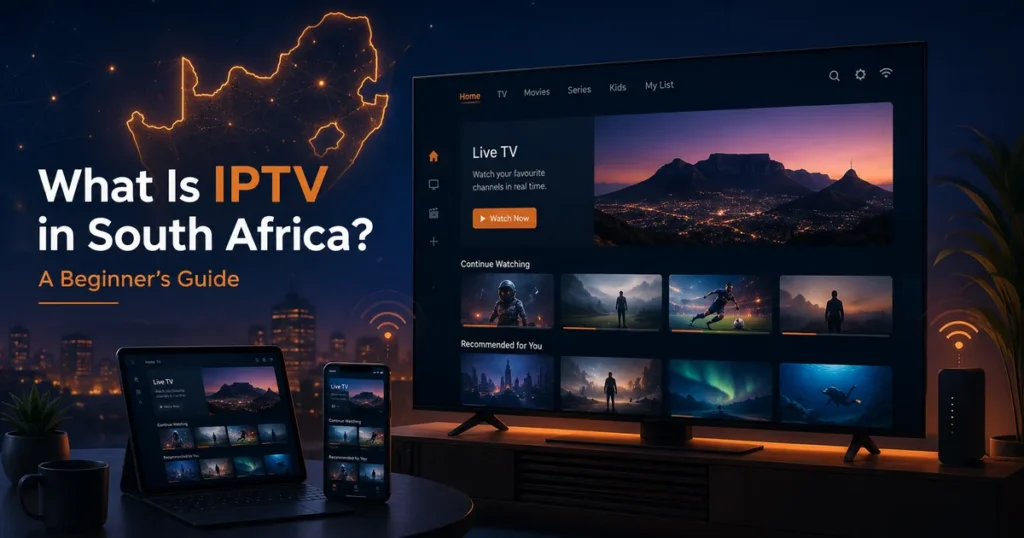
If you are wondering what is IPTV in South Africa, you are probably looking for a more flexible way to watch television through the internet. IPTV allows viewers to access live television, movies, series and other video content through a compatible internet-connected device instead of relying only on a traditional satellite or cable connection.
This beginner’s guide explains how IPTV works, what equipment you need, which devices are compatible and what South African viewers should check before choosing a service.
What Does IPTV Mean?
IPTV stands for Internet Protocol Television. In simple terms, it is a method of delivering television and video content through an internet connection.
When you select a channel or video, the content is delivered to your device through the internet. A compatible application or player then displays the stream on your television, streaming box, phone, tablet or computer.
IPTV is the technology used to deliver the content. An IPTV player is the application used to open and display it, while the subscription or content provider supplies the login or playlist details. These three elements are related, but they are not the same thing.
How Does IPTV Work?
The IPTV process normally includes three main parts.
1. The Content Source
A content provider prepares live television streams or on-demand video content and makes it available through its platform.
2. The Internet Connection
The stream travels from the provider to your home through your internet service. South African viewers may use fibre, fixed LTE, 5G or another broadband connection.
3. Your Device and Player
A compatible application receives the stream and displays it on your screen. Depending on your device and provider, you may sign in using account details, a portal address, an M3U playlist or another supported login method.
The quality of the viewing experience depends on several factors, including the stability of the internet connection, the device, the player application and the quality of the source.
What Do You Need to Use IPTV in South Africa?
You do not usually need complicated equipment. Most viewers need four basic things.
A Stable Internet Connection
A reliable connection is more important than a high advertised maximum speed. Fibre is often suitable for home streaming because it can provide consistent performance.
LTE and 5G can also work, but their performance may change depending on signal strength, network congestion, location and the time of day.
Before choosing a long subscription, test the service during busy evening hours when other people in your area may also be using the network.
A Compatible Device
IPTV can work on many common devices, including:
- Samsung and LG Smart TVs
- Android TV and Google TV devices
- Amazon Fire TV devices
- Android phones and tablets
- iPhones and iPads
- Windows computers
- Mac computers
- Compatible streaming boxes
The exact application available will depend on your device model, operating system and app store region.
An IPTV Player
The player is the application that displays the channels and video library. Some players are free, while others require a once-off payment or subscription.
The player normally does not include television content by itself. It only provides an interface where you enter the details supplied by your provider.
Valid Access Details
Your provider may send a username and password, a server address, a playlist URL or other login information.
Keep these details private. Do not post them publicly or share them with people who are not authorised to use the account.
What Can You Watch Through IPTV?
Available content depends entirely on the provider and the rights attached to its service. A platform may include the following types of content.
Live Television
Live channels are streamed as they are broadcast. Categories may include news, sport, entertainment, lifestyle and children’s programming.
Video on Demand
Video-on-demand libraries allow viewers to select a movie, series episode or documentary and watch it at a convenient time.
Catch-Up or Time-Shifted Content
Some services provide programmes that were broadcast earlier. This feature is provider-dependent and is not available with every package or channel.
Before subscribing, confirm that the provider carries the content categories you actually need. Do not choose a service based only on a very large advertised channel number.
Is an IPTV Player the Same as an IPTV Service?
No. An IPTV player is an application installed on your device. An IPTV service supplies the content access and login information.
Installing a player alone will not normally provide channels. In the same way, subscription details cannot be viewed until they are entered into a compatible player.
Understanding this difference can help you avoid paying twice or downloading an application that does not support your login format.
Which Internet Connection Is Best for IPTV?
For most households, a stable fibre connection is usually a practical choice when it is available. Ethernet can also provide a more consistent connection between the router and streaming device than Wi-Fi.
When Ethernet is not possible, use a strong 5 GHz Wi-Fi signal and keep the streaming device reasonably close to the router.
LTE or 5G may work well, particularly in areas without fibre coverage. However, wireless performance can vary because of signal quality, tower congestion, building materials and router placement.
Before committing to a longer plan:
Test at the time you normally watch television.
Try both Wi-Fi and Ethernet when possible.
Close large downloads and cloud backups.
Check whether other devices are using the connection.
Test the channels and video categories that matter most to you.
You can also read our complete internet speed guide for IPTV streaming for more detailed connection recommendations.
How to Get Started With IPTV
Ready to move from setup to the right IPTV plan?
If your device, player and internet connection are ready, compare our IPTV plans → and choose the option that best matches your setup and viewing needs.
Getting started with IPTV in South Africa can be divided into five simple steps.
Step 1: Check Your Internet Connection
Confirm that your home connection is stable enough for the quality you want to watch. Do not judge the connection only by a single speed-test result.
Step 2: Choose Your Device
Decide whether you want to watch on a Smart TV, Android TV device, Fire TV, mobile phone or computer.
Step 3: Install a Compatible Player
Use the official app store available on your device whenever possible. Confirm that the application supports the login format supplied by your provider.
Step 4: Test Before Choosing a Longer Plan
A trial can help you check device compatibility, picture quality, loading time and connection stability.
Step 5: Follow the Setup Instructions
Enter the supplied login details carefully. Small mistakes in the username, password or server address can prevent the player from connecting.
Visit our complete IPTV setup guide for device-specific instructions.
How to Choose an IPTV Service Responsibly
IPTV is a delivery technology. The availability and legal use of individual channels, movies or sports content depends on licensing, distribution rights and the provider’s authorisation.
Choose services that provide transparent contact information, clear terms, privacy information and realistic descriptions of what is included. Only access content that the provider is authorised to distribute and that you are authorised to watch.
Be careful with providers that make unverifiable promises, hide their business details or claim to offer every premium service for an unrealistically low price.
Common IPTV Problems and Solutions
The Stream Keeps Buffering
Restart the router and streaming device, close large downloads and test Ethernet or 5 GHz Wi-Fi. Try another channel to determine whether the problem affects one source or the entire connection.
The Player Will Not Log In
Check the username, password and server address. Make sure there are no extra spaces and confirm that the subscription is active.
The Application Is Not Available
App availability can differ between devices and regions. Ask which alternative player supports your device and login format.
The Picture Quality Changes
Some players or sources adapt quality according to connection conditions. A weak or congested network may reduce picture quality temporarily.
Frequently Asked Questions About IPTV in South Africa
Do I Need a Satellite Dish?
IPTV content is delivered through an internet connection, so a satellite dish is not normally required.
Can I Use IPTV on a Smart TV?
Many Smart TVs support compatible player applications. Availability depends on the television brand, model, operating system and app store.
Is Fibre Required?
Fibre is not always required. Stable LTE or 5G may also work, but performance can vary more than a fixed fibre connection.
Can I Watch IPTV on My Phone?
A compatible mobile player may allow you to sign in and watch on Android or iOS. Confirm whether your subscription allows the number of connections you need.
Why Should I Test the Service First?
A trial allows you to check your internet connection, device compatibility and viewing quality before choosing a longer subscription period.
Final Thoughts
Understanding what IPTV is in South Africa can help you make a better decision before paying for a subscription.
Start by checking your connection, choosing a compatible device and testing the service during the hours when you normally watch television. Read the setup instructions carefully and choose a provider that communicates clearly about compatibility, support and access conditions.
When you are ready, you can compare our IPTV plans, follow the setup guide, read our frequently asked questions or contact us for help choosing a compatible option.