
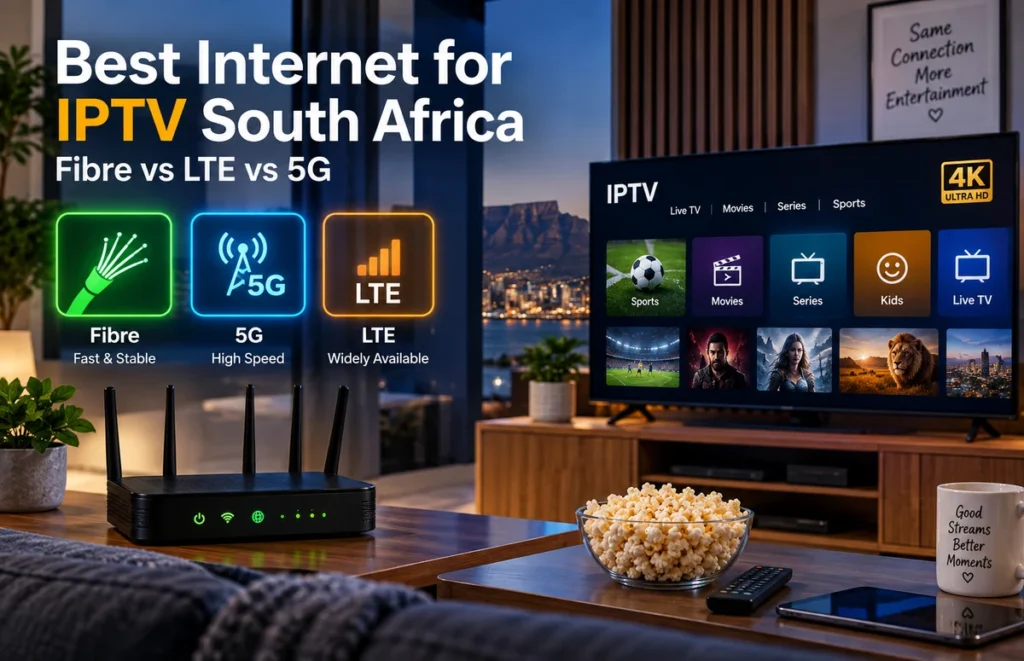
Choosing the best internet for IPTV in South Africa is not only about finding the highest advertised speed. A good IPTV connection also needs stability, low congestion, strong Wi-Fi coverage and enough bandwidth for everyone using the internet in your home.
Fibre is usually the best overall option for IPTV when it is available, but 5G and LTE can also work well depending on your location, signal quality and household usage.
In this guide, we compare fibre, 5G and LTE for IPTV, explain how much speed you may need, and show you how to improve your home network for smoother streaming.
What Internet Connection Is Best for IPTV in South Africa?
For most households, the best connection is the one that delivers consistent speed throughout the day rather than a connection that only performs well during a speed test.
For IPTV streaming, the main options in South Africa are:
- Fibre: usually the most stable option for homes with fibre coverage.
- 5G: can provide very high speeds where strong 5G coverage is available.
- LTE: widely available and suitable for streaming when the signal is strong.
- Fixed wireless: can work well in areas without fibre, depending on provider coverage and network capacity.
Your experience will also depend on the router, distance from the television, Wi-Fi interference and how many devices are connected at the same time.
Fibre Internet for IPTV
Fibre is generally the strongest choice for IPTV because it provides a stable wired internet connection to the home and is less affected by mobile signal conditions.
Advantages of fibre include:
- Stable download speeds
- Low latency
- Better consistency during long streaming sessions
- Suitable for multiple TVs and devices
- Good performance for HD and 4K streaming
If several people in your household watch streaming services, play online games or download large files at the same time, fibre usually provides the most reliable experience.
However, the quality of your home Wi-Fi still matters. A fast fibre connection cannot solve a weak wireless signal between the router and your Smart TV.
Is 5G Good for IPTV?
Yes, 5G can be very good for IPTV when your home has strong and stable 5G coverage.
In some areas, 5G can deliver speeds that are more than enough for several HD or 4K streams.
5G is particularly useful when:
- Fibre is not available in your area
- You have strong indoor 5G reception
- Your router is positioned near a good signal location
- Your network does not become heavily congested during peak hours
The main disadvantage is that mobile network performance can vary throughout the day.
Weather, tower congestion, distance from the tower and the location of your router can all influence performance.
If you use 5G for IPTV, test your connection during the evening when internet usage is normally higher, not only during the morning or afternoon.
Is LTE Fast Enough for IPTV?
LTE can also work for IPTV, especially for HD streaming, but performance depends heavily on signal quality and local network congestion.
A good LTE connection may provide smooth streaming, while a weak or overloaded LTE tower can cause buffering even when the advertised package speed looks sufficient.
LTE can be a practical option for:
- Homes without fibre coverage
- One or two streaming devices
- Users with strong mobile signal reception
- HD streaming with moderate household internet usage
If your LTE speed changes dramatically in the evening, you may experience interruptions during popular live events.
Fibre vs 5G vs LTE for IPTV
| Connection | Stability | Speed Potential | Best For |
|---|---|---|---|
| Fibre | Excellent | High | Multiple devices, HD and 4K streaming |
| 5G | Good to Excellent | Very High | Homes without fibre and strong 5G coverage |
| LTE | Moderate to Good | Moderate to High | HD streaming and areas without fibre |
For most homes, our general order would be:
Fibre → strong 5G → strong LTE.
However, a stable LTE connection can sometimes perform better than an unstable 5G connection, so always test the actual connection at your home.
How Much Internet Speed Do You Need for IPTV?
The speed you need depends on video quality and how many devices use the connection at the same time.
As a practical starting point:
- SD streaming: around 5 Mbps per stream
- HD streaming: around 10 Mbps or more per stream
- Full HD streaming: around 15–20 Mbps or more per stream
- 4K streaming: around 25 Mbps or more per stream
These figures should be treated as a starting point rather than a guarantee.
If other people are gaming, downloading, watching Netflix or using video calls at the same time, you need additional bandwidth.
For more detail, read our internet speed for 4K streaming guide.
Internet Stability Is More Important Than Maximum Speed
A 100 Mbps connection that remains stable can provide a better IPTV experience than a 300 Mbps connection that regularly drops or becomes congested.
Streaming depends on continuous data delivery.
If your connection repeatedly drops for a few seconds, video may freeze or buffer even when your average speed looks high.
This is why you should test:
- Internet speed
- Ping and latency
- Wi-Fi signal strength
- Performance during peak evening hours
- Performance on the actual streaming device
Ethernet or Wi-Fi for IPTV?
If your Smart TV or streaming box is close to the router, an Ethernet cable is usually the most reliable connection.
Ethernet avoids many common Wi-Fi problems such as interference, weak signal and distance from the router.
Wi-Fi is still perfectly suitable when the signal is strong.
If you are unsure which connection is better for your home, read our Ethernet vs Wi-Fi for IPTV comparison.
Best Wi-Fi Setup for IPTV
If you cannot use Ethernet, improve your Wi-Fi connection before upgrading your internet package.
Try these tips:
- Place the router in an open and central location.
- Avoid hiding the router inside cabinets.
- Keep it away from large metal objects.
- Use 5 GHz Wi-Fi when the TV is close to the router.
- Try 2.4 GHz when the television is farther away.
- Restart older routers occasionally.
- Consider mesh Wi-Fi for larger homes.
You can also read our full Wi-Fi router placement guide for more practical tips.
What Causes IPTV Buffering With Fast Internet?
If you already have a fast connection but IPTV keeps buffering, the internet package may not be the real problem.
Possible causes include:
- Weak Wi-Fi signal
- Too many devices using the network
- Peak-hour network congestion
- An overloaded router
- Outdated streaming apps
- A slow Smart TV or streaming device
- Problems with a particular stream
Test several channels or videos before assuming your internet provider is responsible.
Our IPTV buffering fix guide explains how to troubleshoot these problems step by step.
Best Internet Setup for Live Sports
Live sport can be more demanding than watching on-demand films because viewers expect the stream to remain stable throughout the event.
For an important football or rugby match, we recommend:
- Using Ethernet when possible
- Stopping large downloads
- Pausing cloud backups
- Keeping the streaming device updated
- Testing your connection before the event
- Avoiding unnecessary devices on the network
If you use mobile internet, test it during the same time of day as the event because mobile network congestion can change significantly between afternoon and evening.
Should You Upgrade Your Internet Package?
Do not automatically upgrade your package just because IPTV is buffering.
First check whether your current connection reaches the television properly.
If your internet speed is excellent next to the router but poor near the Smart TV, upgrading from 50 Mbps to 100 Mbps may not solve the problem.
Improving Wi-Fi coverage or using Ethernet may make a bigger difference.
Frequently Asked Questions
What is the best internet for IPTV in South Africa?
Fibre is generally the best overall option because it provides good speed and stability. Strong 5G can also provide excellent IPTV performance where fibre is unavailable.
Is 20 Mbps enough for IPTV?
It can be enough for one HD or Full HD stream when the connection is stable. Households with several devices should have additional bandwidth available.
Can I watch IPTV using LTE?
Yes. LTE can work well when you have strong signal quality and the local mobile network is not heavily congested.
Is 5G better than fibre for IPTV?
5G may deliver very high speeds, but fibre is normally more consistent because it does not depend on mobile signal conditions. The best option depends on coverage at your home.
Does IPTV use a lot of data?
Video streaming can use significant data, especially in Full HD and 4K. Users on capped LTE or 5G packages should monitor their monthly data usage.
Why does IPTV buffer at night?
Evening congestion may affect mobile or fixed internet networks. Your home network can also become busy when several people use streaming, gaming and downloads at the same time.
Final Thoughts
The best internet for IPTV in South Africa is a connection that provides stable performance where you actually watch television.
Fibre is usually the strongest choice when available, while 5G can be an excellent alternative in areas with good coverage. LTE remains useful for many households but should be tested during peak hours.
Before changing internet providers or upgrading your package, test your router placement, Wi-Fi signal, streaming device and Ethernet connection.
For more Smart TV setup, connection and streaming guidance, visit Prime IPTV SA.