
Internet Speed for 4K Streaming in South Africa: How Much Do You Need?
Watching movies, live television and sports in 4K can provide excellent picture quality, but it also places more demand on your internet connection than standard HD streaming.
For South African viewers, the right internet speed for 4K streaming depends on more than the speed advertised by your internet provider. Wi-Fi strength, router placement, other devices on the network and the hardware inside your Smart TV can all affect performance.
This guide explains how much speed you need for 4K streaming, how to test your connection and what to check if your Smart TV keeps buffering.
How Much Internet Speed Do You Need for 4K Streaming?
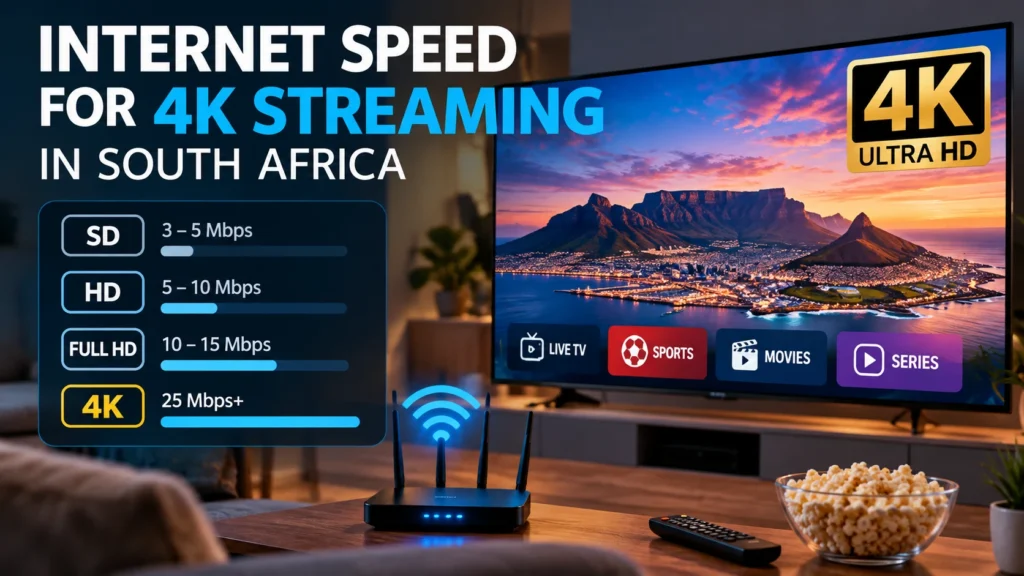
For a single 4K stream, a stable connection of around 25 Mbps or more is a practical starting point for many households.
However, the number shown on your internet package does not always represent the speed reaching your television. You may have a 100 Mbps fibre connection at the router while your Smart TV receives a much weaker connection through Wi-Fi.
| Video Quality | Practical Starting Speed |
|---|---|
| SD | 3–5 Mbps |
| HD 720p | 5–10 Mbps |
| Full HD 1080p | 10–15 Mbps |
| 4K / UHD | 25 Mbps or more |
These figures are useful starting points rather than strict guarantees. Connection stability can be just as important as maximum download speed.
Why Does 4K Streaming Need More Bandwidth?
4K video contains significantly more visual information than HD video. Your internet connection needs to transfer more data continuously to maintain the higher resolution.
If the connection slows down or becomes unstable, the player may reduce picture quality or pause playback while additional data loads.
Is 25 Mbps Enough for 4K Streaming?
For one television, a stable 25 Mbps connection can be sufficient in many 4K streaming situations.
However, if several devices are using the same connection, you should allow additional bandwidth.
- Watching YouTube
- Playing online games
- Downloading large files
- Using video calls
- Streaming on another television
All these activities share the same internet connection.
Internet Speed Is Not the Same as Wi-Fi Speed
This is one of the most important things to understand when troubleshooting streaming.
You may pay for a fast fibre connection, but your Smart TV may receive much less speed because of weak Wi-Fi coverage.
Common causes include:
- Distance between the router and television
- Thick walls
- Wireless interference
- Poor router placement
- Older router hardware
- Too many connected devices
If Wi-Fi coverage is weak, read our Wi-Fi router placement guide for practical ways to improve your home network.
How to Test Your Internet Speed Correctly
Do not test only from a computer located directly beside the router. You need to know how the connection performs where your Smart TV is actually located.
- Connect a phone or laptop to the same Wi-Fi network as your television.
- Move close to the Smart TV.
- Run an internet speed test.
- Repeat the test several times.
- Test again during busy evening hours.
If the results change significantly between tests, your connection may have a stability or Wi-Fi problem rather than a speed problem.
How Much Speed Do You Need for Multiple Devices?
The more devices that use the connection simultaneously, the more bandwidth your household may require.
A family streaming on two televisions while phones and computers are also connected will normally require more capacity than a household using only one Smart TV.
Instead of planning only for the minimum speed, consider how your internet is normally used throughout the day.
Fibre vs LTE vs 5G for 4K Streaming
Fibre
Fibre is often well suited to home streaming because it can provide high speeds and relatively consistent performance.
LTE
LTE can support high-quality video, but performance can vary depending on signal strength, local coverage and network congestion.
5G
5G can provide excellent speeds in areas with strong coverage, although real-world performance depends heavily on location and signal quality.
Whatever connection type you use, test the actual performance at the television rather than relying only on the advertised maximum speed.
Ethernet vs Wi-Fi for 4K Streaming
If your Smart TV or streaming box is located close to the router, an Ethernet cable is worth testing.
A wired connection avoids many problems caused by wireless interference, signal distance and competing Wi-Fi networks.
See our Ethernet vs Wi-Fi for IPTV guide for a detailed comparison.
2.4 GHz vs 5 GHz Wi-Fi
Many modern routers provide both 2.4 GHz and 5 GHz Wi-Fi networks.
The 2.4 GHz band generally provides better range, while 5 GHz can provide higher speeds at shorter distances.
If your television is close to the router, try 5 GHz. If it is further away or separated by several walls, 2.4 GHz may sometimes provide a more stable connection.
Why Does 4K Streaming Buffer With Fast Internet?
A fast internet package does not automatically guarantee smooth streaming.
- Weak Wi-Fi
- Network congestion
- Other devices downloading files
- An overloaded router
- An outdated streaming application
- Limited Smart TV memory
- Older television hardware
- Temporary problems with the streaming source
This is why you should check the entire setup before upgrading your internet package.
Try Ethernet Before Paying for Faster Internet
If your internet speed appears sufficient but streaming continues to buffer, connect the television directly to the router using Ethernet.
If playback improves immediately, Wi-Fi may be the real problem.
How to Improve Live Sports Streaming
Live sports can be more sensitive to connection problems than movies and series because live streams have less time to buffer content in advance.
- Restart your router before an important match.
- Close unused Smart TV applications.
- Pause unnecessary downloads.
- Use Ethernet if possible.
- Test the connection before the event starts.
Does a VPN Affect 4K Streaming?
A VPN may reduce streaming speed because internet traffic is routed through an additional server.
The impact depends on the VPN provider, server location, device performance and your original internet connection.
Can an Older Smart TV Cause Buffering?
Yes. The internet connection is not always responsible.
Older televisions may have slower processors, limited memory and older Wi-Fi hardware.
If several applications are slow even though your network is performing well, the Smart TV itself may be contributing to the problem.
Internet Speed for IPTV in South Africa
IPTV uses an internet connection to deliver television and video streams, so sufficient bandwidth and network stability are important.
A complete home setup should include:
- A reliable internet connection
- A compatible Smart TV or streaming device
- A suitable IPTV player
- Strong Wi-Fi or Ethernet
- An authorised IPTV service
You can find additional device and streaming information at Prime IPTV SA.
Frequently Asked Questions
What internet speed is good for 4K streaming?
Around 25 Mbps or more for one 4K stream is a useful practical starting point. Homes with multiple active devices should allow additional bandwidth.
Is 50 Mbps enough for 4K streaming?
For many households, a stable 50 Mbps connection can provide enough capacity for one 4K stream plus other normal internet activity.
Is 100 Mbps enough for IPTV and 4K?
A stable 100 Mbps connection generally provides substantial capacity for high-resolution streaming and several connected devices, although poor Wi-Fi can still cause buffering.
Why does 4K buffer even with fibre?
The problem may be caused by Wi-Fi coverage, router placement, network congestion, device performance or the streaming source rather than the fibre connection itself.
Is Ethernet better than Wi-Fi for streaming?
Ethernet can provide a more consistent connection because it is less affected by signal distance and wireless interference.
Can my Smart TV cause slow streaming?
Yes. Older Smart TVs may have limited processing power, memory or slower network hardware that can affect application performance.
Final Thoughts
The right internet speed for 4K streaming is not simply the highest number your internet provider offers. For many users, around 25 Mbps per 4K stream is a practical starting point, but Wi-Fi quality, network stability and household usage are equally important.
Before upgrading your internet package, test your Wi-Fi, try Ethernet and check how your Smart TV performs during normal viewing hours.
If your connection and device are ready, compare the available IPTV plans and choose the option that best matches your home streaming setup.