
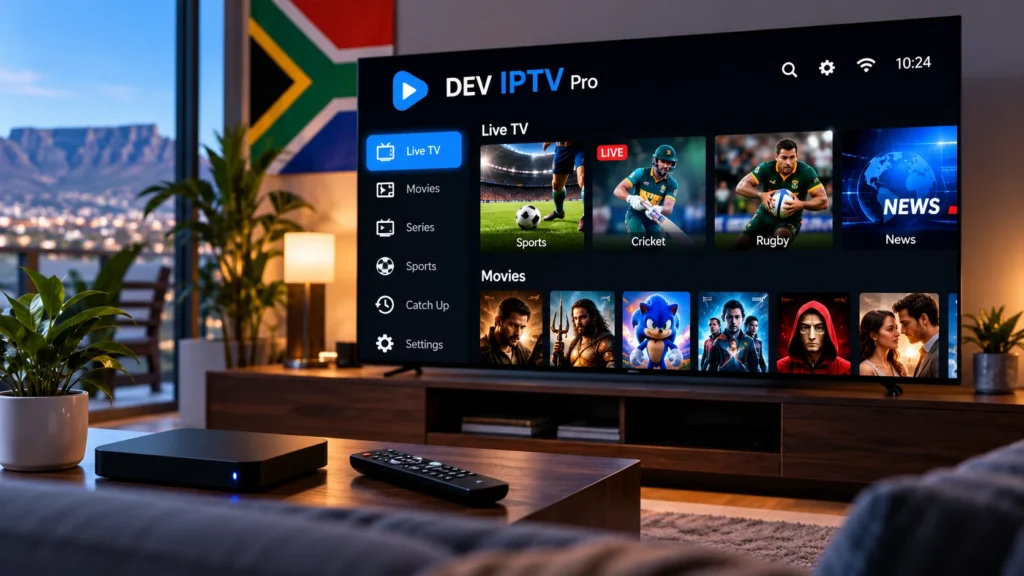
DEV IPTV Pro South Africa: Install, Setup & Fix Common Issues
DEV IPTV Pro is a media player that can be used to organise and play authorised internet television content on compatible devices. For users in South Africa, a reliable setup depends on more than installing the application. Device compatibility, internet stability and correct login details all affect the final streaming experience.
This guide explains how the player works, how to install it on supported devices, how to add account details and what to check when streaming does not work as expected.
What Is DEV IPTV Pro?
The application is an IPTV media player. It does not automatically provide television channels, movies or premium subscriptions.
Instead, users normally connect their own authorised IPTV account or playlist to the player.
A typical setup includes:
- A compatible Smart TV or streaming device
- A stable internet connection
- An IPTV player application
- Valid account or playlist details
The player and the content service should therefore be treated as two separate parts of the setup.
Which Devices Can Use the App?
Compatibility depends on the operating system, device model and application availability in your region.
Android TV and compatible Android-based streaming boxes are common platforms for IPTV players. Before installing anything, check your device’s official application store.
If you use Android TV, Google provides general instructions for installing applications through the Play Store in its official Android TV Help guide.
Avoid downloading unknown APK files from untrusted websites because modified applications may create security, privacy or stability problems.
How to Install DEV IPTV Pro on Android TV
If the application is available through your device’s official store, the installation process is normally simple.
- Connect your television or streaming device to the internet.
- Open the Google Play Store.
- Search for the player by name.
- Check the developer and application information.
- Select Install.
- Wait for the installation to finish.
- Open the application.
Menu names may differ slightly depending on your device and Android TV version.
How to Set Up the Player
After opening the application, you will normally need to add a profile before any content can appear.
The exact setup options depend on the app version, but IPTV players commonly support account-based login details or playlist-based configuration.
Enter all information exactly as supplied by your authorised service. Even a small mistake in the server address, username or password can prevent the player from connecting.
Using Xtream-Compatible Login Details
Some IPTV players support account information in an Xtream-compatible format.
You may be asked to enter:
- A profile name
- Username
- Password
- Server or portal URL
After saving the profile, allow the application some time to load the available categories.
Do not share your login details publicly because they may provide access to your account.
Can You Use an M3U Playlist?
Some media players support M3U playlists. An M3U playlist is a file or web address containing information that a compatible application can read.
If your service provides an M3U URL, copy it exactly as supplied. Missing characters or additional spaces can cause errors.
You can learn more about playlist formats in our IPTV M3U Playlist guide.
Player vs IPTV Subscription: What Is the Difference?
This is one of the most important points for beginners.
The application is the software used to display and organise streams. The IPTV service provides the authorised account information, playlist or content source.
Installing a player alone does not automatically provide access to television channels or premium programming.
What to Do If the App Does Not Load
If the player opens but content does not appear, start with basic checks before changing advanced settings.
- Confirm that the internet connection is working.
- Check the username and password.
- Verify the server address.
- Restart the application.
- Restart the Smart TV or streaming box.
- Restart the router.
- Check whether an app update is available.
If other internet applications work normally but the player cannot connect, confirm that your account information is still valid.
How to Fix Login Failed Errors
Login problems are often caused by incorrect account information.
Check for:
- Extra spaces before or after the username
- Incorrect capital letters
- A typing error in the password
- An incomplete server URL
- An expired account
Before reinstalling the application, verify the login details with the service that supplied them.
How to Reduce Buffering
Buffering is not always caused by the application itself. Your internet connection and home network can have a major effect on playback quality.
Try these steps:
- Restart the router and streaming device.
- Move the device closer to the Wi-Fi router.
- Test Ethernet if possible.
- Pause large downloads on other devices.
- Close unused applications.
- Test several streams instead of only one.
For more detailed network advice, read our best internet for IPTV in South Africa guide.
Wi-Fi or Ethernet: Which Is Better?
Both can work well, but Ethernet is often more consistent when the Smart TV or streaming box is located near the router.
A wired connection avoids many problems caused by distance, walls and wireless interference.
If Ethernet is not practical, test both 2.4 GHz and 5 GHz Wi-Fi if your router supports them.
The 5 GHz band can provide faster performance at shorter distances, while 2.4 GHz often provides better range.
Why Device Performance Matters
Older streaming devices can have limited memory and processing power.
If menus become slow or the application freezes regularly, try:
- Restarting the device
- Removing unused apps
- Freeing storage space
- Closing background applications
- Installing available firmware updates
If several applications are slow, the problem may be related to the device rather than the IPTV player.
Should You Test the Setup First?
Testing the complete setup before choosing a longer subscription can help identify compatibility or network problems.
During a test, check:
- Login speed
- Menu navigation
- Live stream loading
- Picture and audio stability
- Movies and series categories
- Performance during busy evening hours
Our IPTV free trial South Africa guide explains what users should test before committing to a longer plan.
How to Improve Streaming Quality
Good streaming quality depends on several components working together.
Your internet speed matters, but network stability is equally important. A very fast connection with weak Wi-Fi can still cause freezing and buffering.
For the best results:
- Keep the router in an open location.
- Use Ethernet when practical.
- Keep the application updated.
- Restart the device occasionally.
- Avoid unnecessary downloads while streaming.
Is DEV IPTV Pro Legal in South Africa?
An IPTV player is simply software used to play internet-delivered media. Whether the content is legal depends on the source and whether the required distribution rights and permissions exist.
Users should access only content they are authorised to watch and should download applications from trusted or official sources.
For more information, read our guide about IPTV legality in South Africa.
Alternatives to This IPTV Player
No single player works perfectly on every television or streaming device.
If the application is not compatible with your hardware, other IPTV players may support your operating system and login format.
Our IPTV Player Guide explains the main features to consider when comparing player applications.
Common Setup Mistakes to Avoid
Many problems can be prevented during the initial setup.
- Do not enter login details manually if you can copy them accurately.
- Do not use unofficial APK websites without checking their reliability.
- Do not change several network settings at the same time.
- Do not assume every buffering problem comes from the IPTV service.
- Do not share account credentials publicly.
Testing one change at a time makes troubleshooting much easier.
Frequently Asked Questions
What is DEV IPTV Pro?
It is an IPTV media player used to organise and play authorised internet television content supplied through an account or compatible playlist.
Does the player provide TV channels?
No. A player application should not be confused with an IPTV subscription. Users generally need to add their own authorised service details.
Why is the app buffering?
Buffering can be caused by weak Wi-Fi, internet congestion, limited device performance, other devices using the network or problems with the content source.
Can it be used on Android TV?
Compatibility depends on the device, operating system and app availability. Check your Android TV’s official application store before installing software from another source.
Can I use an M3U playlist?
Playlist support depends on the version and features of the player. If an M3U option is available, use the exact URL supplied by your authorised service.
Is an IPTV player the same as an IPTV provider?
No. The player is the application used to display content, while the provider supplies the account, playlist or authorised content source.
Final Thoughts
DEV IPTV Pro can be useful for users who need an IPTV player on a compatible device, but the application is only one part of the overall streaming setup.
Internet stability, device performance, account configuration and the content source all influence the final experience.
South African viewers looking for more setup information, device guides and streaming advice can visit Prime IPTV SA.
Always use authorised content sources, protect your login information and install applications from trusted sources whenever possible.