
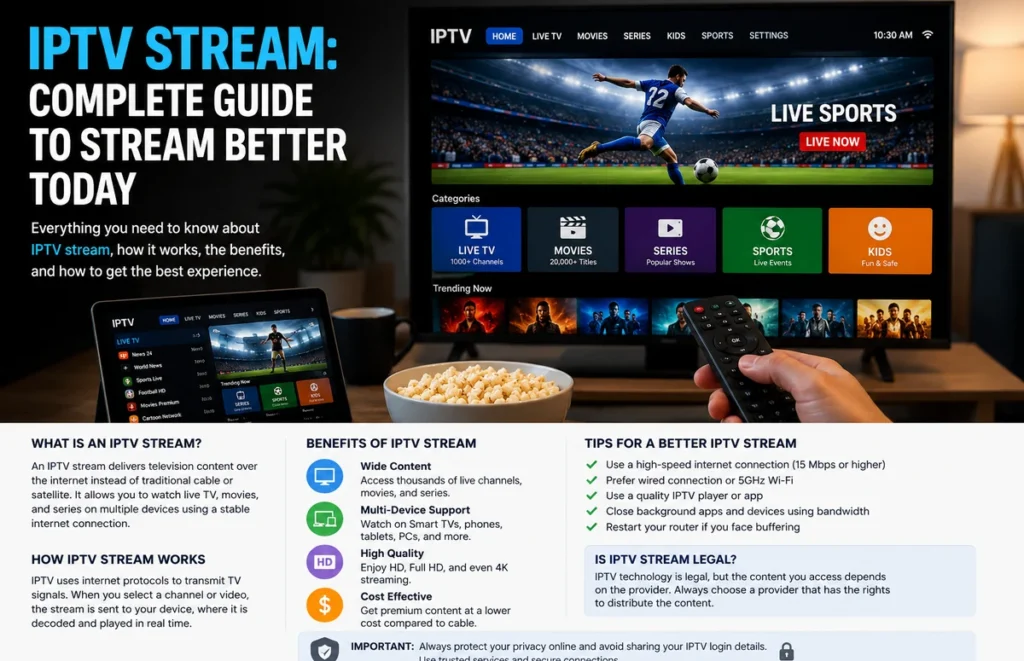
An IPTV stream delivers television or video content through an internet connection instead of a traditional aerial, cable or satellite signal. It can work on Smart TVs, streaming boxes, phones, tablets and computers when the device, media player and internet connection are compatible.
Getting a stable IPTV stream depends on more than simply entering login details. Device performance, Wi-Fi coverage, connection limits, application quality and the source of the content can all affect the viewing experience.
This guide explains how internet television works, how to prepare your equipment and what to check when playback freezes, loses quality or fails to load.
What Is an IPTV Stream?
An IPTV stream is a continuous video transmission delivered using internet technology. When you select a live channel or on-demand title, the service sends video data to your device, where a compatible application decodes and displays it.
The media player and the content provider are often separate. Installing an IPTV player does not automatically include access to television channels or movies. You normally need authorised login details, a playlist or another supported account method.
Availability can vary by provider, location, device and content rights. Only use streams and services that you are permitted to access.
What Do You Need to Start Streaming?
Before starting an IPTV stream, prepare the following:
- A reliable home internet connection.
- A compatible Smart TV, streaming device, phone, tablet or computer.
- A trusted media-player application.
- Valid login details from an authorised provider.
- Enough storage for application updates and temporary data.
- A suitable subscription with the required connection limit.
Update your device before installing the player. Old operating systems may not support newer applications and can create login, playback or security problems.
Use our IPTV setup guide for general installation steps on popular devices.
Factors That Affect IPTV Stream Quality
| Factor | What it affects | Good practice | Possible problem |
|---|---|---|---|
| Internet connection | Loading speed and picture stability | Use a consistent connection with enough capacity | Freezing when the network becomes busy |
| Wi-Fi signal | Communication between the router and device | Place the router nearby and away from obstacles | Weak signal, interruptions or quality drops |
| Device performance | Application speed and video decoding | Keep storage available and software updated | Application crashes or slow navigation |
| Media player | Login compatibility and playback features | Use a trusted application that supports your login method | Playlist errors or missing categories |
| Connection limit | Number of devices that can stream together | Stay within the permitted simultaneous connections | Account errors or stopped playback |
| Stream source | Availability and content quality | Use transparent and authorised services | Broken, removed or unauthorised content |
Choose the Right Device
The best device for an IPTV stream is one that supports the required application and receives regular software updates.
A modern Smart TV is convenient because it does not require an additional screen. However, application availability can differ between Samsung Tizen, LG webOS, Hisense VIDAA, Android TV and Google TV.
A separate Android TV or Google TV device may offer a wider selection of applications. Phones and tablets are useful for testing account details before configuring the main television.
For Android devices, read our IPTV setup guide for Android phones and tablets. Apple users can follow our iPhone and iPad IPTV guide.
Ethernet or Wi-Fi?
Ethernet is usually the more consistent option for a television that remains close to the router. A cable avoids many of the interference and distance problems that can affect wireless connections.
Wi-Fi can still provide a reliable IPTV stream when the signal is strong. Use the faster available Wi-Fi band when the device is near the router, and avoid placing the router inside a cabinet or behind the television.
Walls, metal furniture, nearby electronics and distance can reduce Wi-Fi quality. Other household activity, such as large downloads, cloud backups and online gaming, may also affect streaming.
Read our Ethernet vs Wi-Fi comparison and Wi-Fi router placement guide for more information.
How to Test an IPTV Stream
Do not judge a service after opening only one channel. Test several live categories and on-demand titles using the same device and connection you plan to use regularly.
During the test:
- Open several different categories.
- Allow each video to play for a few minutes.
- Check whether the sound matches the picture.
- Test subtitles and programme information.
- Try playback during evening viewing hours.
- Change between Ethernet and Wi-Fi when possible.
- Contact support with a genuine setup question.
An IPTV free trial can help you complete these checks before choosing a longer subscription.
How to Fix Buffering
When an IPTV stream starts freezing, first determine whether the issue affects one video or the complete application.
When only one channel fails, the source may be temporarily unavailable. When every category freezes, the problem may involve the device, application, router or internet connection.
Try these steps in order:
- Close and reopen the media player.
- Restart the television or streaming device.
- Restart the router.
- Pause large downloads on other devices.
- Move closer to the Wi-Fi router.
- Test an Ethernet connection.
- Lower the picture quality temporarily.
- Clear the application cache when supported.
- Install available application and system updates.
Avoid changing several settings at the same time. Test after each step so you can identify which change solved the problem.
Check the Simultaneous Connection Limit
Installing an account on several devices does not always mean they can all run an IPTV stream at the same time.
Some subscriptions permit only one active connection. Opening the same account simultaneously on another television or phone may cause playback to stop or create a login error.
Ask the provider whether the limit refers to registered devices, simultaneous streams or separate accounts. Select a plan that matches the number of people who will watch at the same time.
Protect Your Login Details
Playlist addresses and portal login details can contain private account information. Do not publish them in social-media comments, screenshots or public forums.
Install media players from official application stores or verified developer websites. Avoid unknown downloads that request device-administrator access, browser extensions or unrelated permissions.
Use a unique password when the provider allows you to create one. Do not reuse the same password used for your email, online banking or social-media accounts.
Use Authorised Content
IPTV is a delivery technology. Whether a particular IPTV stream is authorised depends on the content source and the distribution rights.
Be careful with services that promise unrestricted access to every premium channel, sports competition and movie without explaining their licensing or service terms.
A transparent provider should explain its prices, supported devices, connection limits, contact methods and cancellation conditions. Review this information before making a payment.
Frequently Asked Questions
Why does my IPTV stream keep freezing?
Common causes include weak Wi-Fi, heavy household internet use, an overloaded device, an outdated application or a temporary problem with the video source.
Can I use one account on several devices?
You may be able to install it on several devices, but simultaneous playback depends on the connection limit included with the subscription.
Which IPTV player should I use?
Use a trusted player that supports the login format supplied by your provider. Confirm compatibility before purchasing a premium player activation.
Does a Smart TV need an additional box?
Not always. When the required application is available directly on the television, no separate device may be necessary. An external streaming device can still be useful when the TV has limited application support.
Should I choose the longest subscription?
Test the service, device compatibility and customer support first. Choose a longer plan only after confirming that the setup meets your needs.
Final Thoughts
A reliable IPTV stream requires a compatible device, stable network, trusted media player and authorised content source. Test the setup carefully, use Ethernet when practical and protect your login information.
After confirming compatibility, compare the available IPTV subscription plans and select the option that matches your device, connection requirements and budget.