
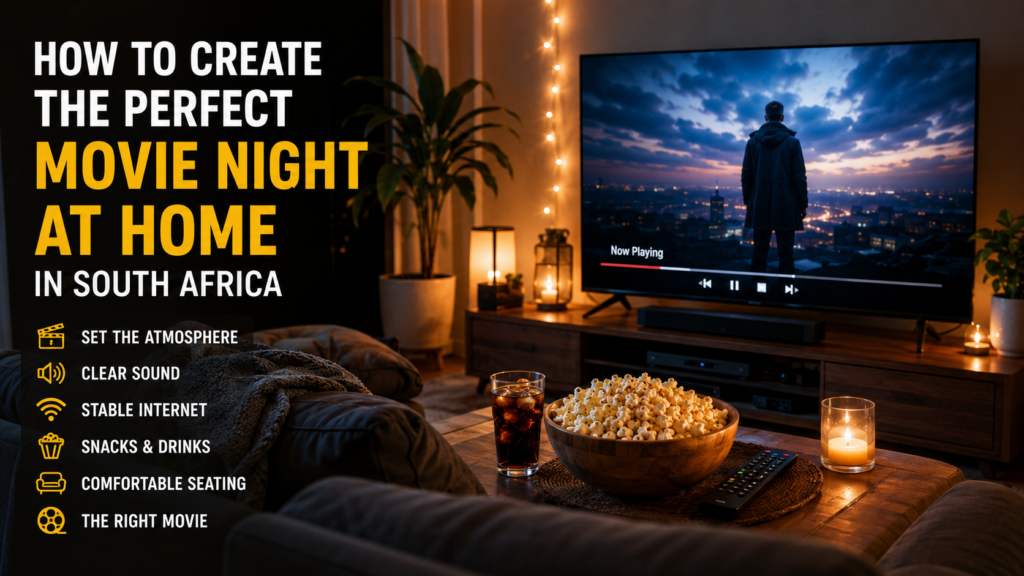
A memorable movie night at home does not require a huge television, expensive speakers or a room designed like a commercial cinema. The best experience usually comes from a few thoughtful choices: selecting the right film, reducing distractions, improving comfort and making sure the technology works before everyone sits down.
For viewers in South Africa, watching films at home can be a comfortable alternative to travelling to a cinema, especially when family members or friends want more control over the time, seating, subtitles and volume.
This guide explains how to create the perfect movie night at home using equipment you probably already own.
Choose the Right Film for the People Watching
The first step is not choosing the television settings. It is choosing a film that suits the group.
A serious three-hour drama may be an excellent film, but it may not be the best option when several friends want a relaxed evening. A loud action film may also be unsuitable when children are sleeping nearby or some viewers prefer quieter stories.
Before movie night, consider:
- How many people will be watching
- The age and interests of the viewers
- Whether everyone wants something familiar or something new
- The preferred language and subtitle options
- The length of the film
- Whether the group wants comedy, suspense, drama or action
When nobody can agree, ask each person to suggest one film and choose from the final list. This prevents the evening from turning into an hour of scrolling through menus.
Prepare the Film Before Everyone Arrives
One of the easiest ways to improve movie night is to prepare the film in advance.
Open the authorised streaming service or media player you plan to use and confirm that the film is available. Check that it plays correctly, that the audio language is suitable and that subtitles are available when required.
Do not wait until everyone is seated before signing into accounts, installing updates or searching for passwords.
A quick preparation checklist should include:
- Open the correct application
- Find the film and add it to your watchlist
- Play the opening minute to test the picture and sound
- Select the correct audio language
- Check the subtitle size and position
- Charge or replace the remote-control batteries
Use authorised streaming platforms and content for which you have the necessary rights or permissions.
Reduce Distractions in the Room
The biggest difference between casual television viewing and a proper movie night is attention.
A film becomes difficult to follow when people are checking their phones, walking through the room or having unrelated conversations. You do not need strict cinema rules, but agreeing on a few simple habits can help everyone enjoy the story.
Before starting the film:
- Put mobile phones on silent
- Complete food preparation before pressing play
- Close unnecessary applications on the television
- Move noisy appliances away from the viewing area
- Choose a reasonable time for one planned break
Some viewers prefer watching a film without any interruption. Others are more comfortable with a short break, especially during a long feature. Decide before the film begins so that nobody has to keep asking when the next pause will happen.
Create Comfortable Lighting
A completely dark room is not always necessary. In fact, a small amount of soft lighting can make the room more comfortable and help people move safely when they need a drink or snack.
Turn off bright ceiling lights and use a lamp positioned away from the television screen. Avoid placing a light directly opposite the television because reflections can make darker scenes difficult to see.
Good options include:
- A dim lamp behind the seating area
- A small light beside the television cabinet
- Warm indirect lighting reflected from a wall
- Closed curtains when streetlights reflect on the screen
The goal is to make the picture easy to see without creating eye strain or distracting reflections.
Adjust the Television Picture Without Overcomplicating It
Many televisions are displayed in shops using extremely bright picture settings. These settings may attract attention under strong shop lighting, but they are not always comfortable in a darker living room.
Start with a cinema, film or standard picture mode when your television provides one. Compare the available modes during a scene with faces, shadows and movement.
Try to avoid a picture that looks unnaturally bright, excessively sharp or heavily coloured. Natural skin tones and visible shadow detail are usually more comfortable during a full-length film.
You can also switch off unnecessary motion-smoothing features when they make films look more like live television. The exact name of this setting differs between television manufacturers.
Make Dialogue Easy to Understand
Sound can affect a film more than screen size.
If dialogue is difficult to understand, viewers may lose interest even when the picture looks excellent. Start by checking the television sound mode. A cinema mode may create a wider sound, while a dialogue or voice mode may make speech clearer.
When using a soundbar or external speakers:
- Position the main speaker close to the centre of the television
- Do not block it with decorations or furniture
- Keep the volume balanced rather than extremely loud
- Test quiet dialogue as well as action scenes
- Enable subtitles when accents or sound mixing make speech difficult
Subtitles are not only useful for foreign-language films. They can also help when several people are talking quietly, when the room cannot be played at high volume or when a film has complex dialogue.
Arrange the Seating Before the Film Starts
Not every home has seating positioned directly in front of the television. For an occasional movie night, moving a chair or adjusting the sofa can make a noticeable difference.
Try to give everyone a clear view without forcing them to turn their head for the entire film. People seated far to one side may experience reflections or reduced picture quality depending on the television panel.
Prepare cushions and blankets in advance, but avoid creating a seating area that becomes uncomfortable after the first hour.
For a larger group, use stable chairs rather than placing people on the floor where they may block the screen or frequently change position.
Prepare Simple Food That Will Not Interrupt the Film
Snacks are part of the movie-night experience, but complicated food can create noise, spills and repeated trips to the kitchen.
Choose food that can be prepared before the film and eaten without requiring plates full of sauce or constant attention.
Simple options include:
- Popcorn
- Small sandwiches
- Fruit
- Biscuits
- Nuts, when suitable for the group
- Water, juice, tea or coffee
Use bowls that are easy to share and keep drinks on a stable table away from remote controls and electronic equipment.
Check the Internet Connection at the Television
A fast connection beside the router does not always mean the television receives a stable signal. Walls, distance and the router position can affect the connection in the room where you watch films.
Test playback on the actual television or streaming device before movie night begins. Allow the film to play for several minutes and watch for sudden quality changes, loading circles or audio interruptions.
When the television is far from the router, review our guide to the best Wi-Fi router placement for home streaming.
When possible, a wired Ethernet connection can provide a consistent option for a fixed television. Wi-Fi can still work well, but the router should be placed in an open position rather than hidden inside a cabinet or behind the television.
Stop Other Devices From Using the Connection Heavily
A home internet connection may be shared by phones, computers, gaming consoles, security cameras and other televisions.
Before starting a high-quality film, check whether another device is downloading a large game, uploading files or completing a cloud backup. These activities can affect playback even when the internet normally feels fast.
Pause unnecessary downloads until the film ends. This is particularly useful during busy evening hours when several people in the home are online.
For more connection advice, read our guide to internet speed and stability for 4K streaming.
Restart Equipment Before Guests Arrive
When a television, streaming box or router has been running continuously for a long time, a restart can clear temporary problems.
Restart the equipment before the planned viewing time rather than waiting for a problem to appear during the film.
- Close the streaming application.
- Switch off the television or streaming device.
- Restart the router when the connection has been unstable.
- Wait until the internet connection is fully restored.
- Open the application and test the film again.
If playback continues to freeze, work through our streaming buffering and playback checklist before changing several settings at once.
Keep the Film Discussion for Afterwards
Part of the enjoyment of watching a film with other people is the conversation afterwards.
Instead of immediately opening another film, spend a few minutes discussing what everyone thought. The most interesting conversations are often not about whether the film was simply good or bad.
You could ask:
- Which character made the strongest impression?
- Was the ending satisfying?
- Did anyone interpret the story differently?
- Which scene was the most memorable?
- Would the film be worth watching again?
- Did the music improve the atmosphere?
These questions can turn an ordinary viewing session into something closer to a small film club.
Do Not Try to Make Everything Perfect
A successful movie night is not measured by the price of the television, the size of the speakers or the number of snacks on the table.
The purpose is to create an evening where everyone can relax and pay attention to the same story. A comfortable room, clear sound, a stable connection and fewer interruptions will usually matter more than expensive equipment.
Start with the room and devices you already have. Make one or two improvements each time and notice what makes the experience better for your household.
Quick Movie Night Checklist
- Choose the film before everyone sits down
- Confirm that it is available through an authorised source
- Test the picture, audio and subtitles
- Dim bright lights and reduce screen reflections
- Prepare comfortable seating
- Put phones on silent
- Prepare simple food and drinks
- Pause unnecessary downloads
- Test the internet connection on the television
- Keep time for a discussion after the film
Final Thoughts
The perfect movie night at home is less about copying a commercial cinema and more about creating the right environment for the film.
Choose something the group genuinely wants to watch, prepare the technology in advance and remove the small distractions that can break the atmosphere. When the room is comfortable and the film plays without interruption, even a familiar living room can become a memorable place to experience cinema.