
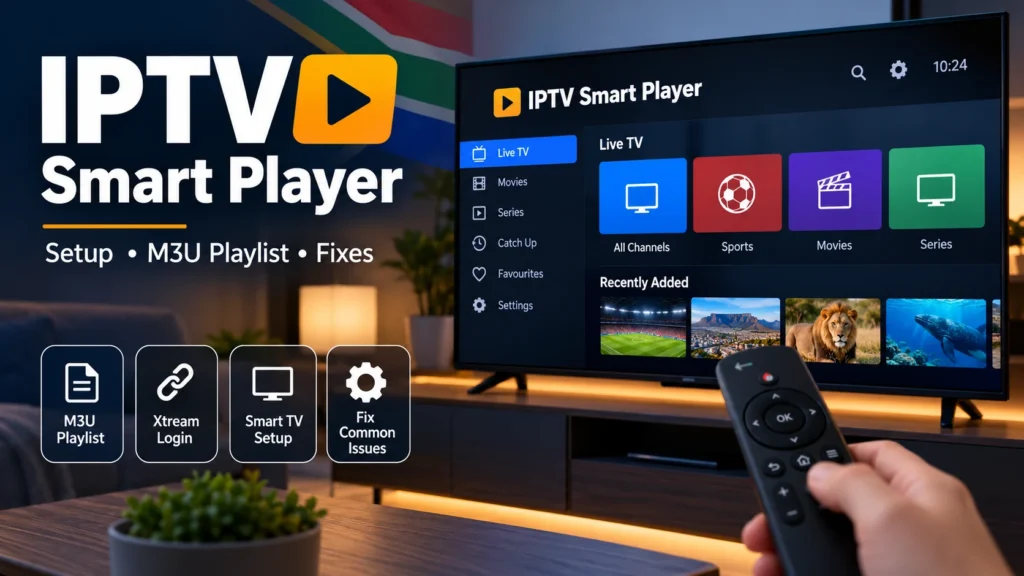
IPTV Smart Player South Africa: Setup, M3U & Common Fixes
IPTV Smart Player is a name used by several media-player applications that allow users to load their own authorised streaming playlists and watch them on compatible devices.
For viewers in South Africa, these players can be useful on Android phones, tablets, Android TV devices and other supported platforms, depending on the exact app version being used.
One important point should be clear from the beginning: an IPTV player is not automatically an IPTV subscription. The player provides the interface and playback tools, while the user must supply their own authorised playlist or compatible login information.
This guide explains how IPTV Smart Player works, how to add an M3U playlist, what to check before using Xtream credentials and how to solve common buffering, playlist and playback problems.
What Is IPTV Smart Player?
IPTV Smart Player is generally a media-player application designed to open internet-based video streams supplied by the user.
Depending on the specific application, supported features may include:
- M3U and M3U8 playlist support
- Xtream-compatible login on some versions
- Electronic programme guide (EPG)
- Favourites
- Search and channel categories
- Picture-in-Picture
- Chromecast or other casting options
- Android TV remote navigation
Because several applications use very similar names, always check the developer, app-store listing and supported features before installing one.
Does IPTV Smart Player Include Channels?
No. A legitimate IPTV player normally does not automatically include television channels, movies, series or a subscription.
The player is simply software that displays media supplied through your own authorised playlist or account.
If you are new to IPTV, read our guide to IPTV in South Africa first to understand the difference between the player, subscription and internet connection.
IPTV Smart Player vs IPTV Smarters Pro vs Smart IPTV
These names sound similar, but they should not automatically be treated as the same application.
IPTV Smart Player is a name used by several media-player apps.
IPTV Smarters Pro is a separate player family with its own interface and supported login methods.
Smart IPTV, sometimes called SIPTV, is another separate application.
Before following installation instructions, confirm the exact app you have installed. Instructions designed for one player may not work in another.
If you are still choosing an app, see our IPTV player guide for a broader comparison.
How to Install IPTV Smart Player
The safest installation method is to use the official app store available on your device.
On an Android device:
- Open Google Play.
- Search for IPTV Smart Player.
- Check the developer name and app description carefully.
- Confirm that the app supports the playlist format you plan to use.
- Review permissions and privacy information.
- Install the application.
Do not assume that every app with a similar name supports the same features.
If an app is not available in the official store for your device, avoid downloading random APK files from unknown websites.
How to Add an M3U Playlist
M3U is one of the most common playlist formats supported by IPTV players.
If your authorised service gives you an M3U URL, the general setup process is:
- Open IPTV Smart Player.
- Select Add Playlist or a similar option.
- Choose the M3U or playlist URL option.
- Enter the playlist address exactly as supplied.
- Add a name for the playlist if requested.
- Save and allow the app to load the categories.
A single incorrect character can prevent the playlist from loading, so copying and pasting the URL is usually safer than typing it manually.
For more detail, read our IPTV M3U playlist guide.
Does IPTV Smart Player Support Xtream Login?
This depends on the exact IPTV Smart Player application you installed.
Some versions support Xtream-compatible accounts using:
- Server URL
- Username
- Password
Other versions may only support M3U or M3U8 playlists.
Do not assume that an Xtream login will work just because the application name contains “IPTV Smart Player”. Check the official app listing first.
How to Add Xtream Details When Supported
If your version supports Xtream-compatible login, look for an option such as Xtream Codes, Xtream API or Add User.
Enter the server address, username and password exactly as provided.
Avoid adding spaces before or after any credential.
If the login fails, verify the details before reinstalling the app or changing advanced network settings.
Which Devices Can Use IPTV Smart Player?
Compatibility varies between apps, but IPTV Smart Player applications are commonly available for Android-based devices.
Possible devices include:
- Android phones
- Android tablets
- Android TV devices
- Google TV devices
- Compatible TV boxes
- Some mobile and Apple devices, depending on the specific app
Do not assume the same app is available directly on Samsung Tizen or LG webOS televisions. Check the television’s official app store first.
IPTV Smart Player Ready?
Player Installed and Your Device Is Ready?
Once your player, device and internet connection are working correctly,
compare our IPTV plans →
and choose the subscription period that best fits your setup.
IPTV Smart Player Playlist Not Loading
If the playlist does not load, start with the simplest checks.
Confirm that:
- The playlist URL is complete.
- The URL has not expired.
- Your internet connection is working.
- The app supports the playlist format.
- No extra spaces were added.
Close and reopen the application after correcting the details.
If the same playlist works in another compatible player, the issue may be related to the app rather than the playlist itself.
Why IPTV Smart Player Keeps Buffering
Buffering is not always caused by the application.
Possible causes include:
- Weak Wi-Fi signal
- Network congestion
- Insufficient internet speed
- An overloaded router
- Device performance problems
- Temporary problems with the streaming source
Run a speed test close to the television or streaming device rather than only testing beside the router.
If you plan to stream high-resolution video, our internet speed for 4K streaming guide explains practical bandwidth requirements.
Try Ethernet Instead of Wi-Fi
If the player is running on a television device that supports Ethernet, test a wired connection.
Ethernet can reduce problems caused by wireless interference, walls and distance from the router.
This can be especially useful for live streams and 4K playback.
See our Ethernet vs Wi-Fi for IPTV comparison for more information.
IPTV Smart Player Keeps Closing
If the application closes unexpectedly, restart the device first.
Then check:
- Available storage
- App updates
- Device software updates
- Background applications
- Cache size where the app provides a cache-management option
If several IPTV applications are crashing on the same television, the problem may be related to the device rather than one specific player.
Follow our IPTV app crashing fixes for additional troubleshooting steps.
EPG Not Showing
An Electronic Programme Guide displays programme information when compatible EPG data is available.
If channels load but programme information is missing:
- Refresh the EPG.
- Restart the player.
- Check whether the playlist source includes EPG information.
- Confirm that your specific player supports the supplied guide format.
If only a few channels are missing programme information, the issue may be with those entries rather than the entire player.
No Sound or Picture
If a stream opens but you get sound without video, or video without sound, the device may have difficulty decoding the format.
Try another stream first.
If the problem affects everything, restart the player and device and make sure both are updated.
Some players also offer alternative playback engines or external-player options, although availability depends on the specific app.
Can IPTV Smart Player Cast to a TV?
Some IPTV Smart Player applications include Chromecast or similar casting functionality.
This can be useful when the player is installed on a phone but you want to watch on a larger screen.
Again, check the exact app listing because casting support varies between applications with similar names.
Is IPTV Smart Player Free?
Pricing depends on the specific application.
Some versions are free with advertising, while others provide optional premium features or in-app purchases.
Paying for premium player features does not automatically purchase an IPTV subscription or television content.
Is IPTV Smart Player Legal in South Africa?
An IPTV player is simply software used to play media streams.
The legal issue depends mainly on whether the content being accessed is distributed and viewed with the necessary rights and permissions.
Users should only add playlists and accounts they are authorised to use.
For a broader explanation, read our guide on whether IPTV is legal in South Africa.
How to Improve IPTV Smart Player Performance
For more reliable playback:
- Keep the application updated.
- Restart the device periodically.
- Use Ethernet when practical.
- Position the Wi-Fi router correctly.
- Avoid large downloads while streaming.
- Test 5 GHz Wi-Fi when close to the router.
- Keep enough free storage on the device.
- Use a playlist format supported by your exact app.
IPTV Smart Player Frequently Asked Questions
Does IPTV Smart Player come with channels?
No. IPTV Smart Player applications generally act as media players. You need to supply your own authorised playlist or compatible account.
Can I use an M3U playlist with IPTV Smart Player?
Many versions support M3U or M3U8 playlists. Check the app-store description for your specific version before installation.
Does IPTV Smart Player support Xtream Codes?
Some applications using the IPTV Smart Player name support Xtream-compatible login, while others do not. Verify the feature in the official listing for the exact app you are using.
Why does IPTV Smart Player buffer?
Buffering may be caused by Wi-Fi quality, internet congestion, device performance or the stream itself. Test the network before assuming the player is responsible.
Can I use IPTV Smart Player on a Smart TV?
It depends on the television operating system and the particular app. Android TV and Google TV devices commonly provide more IPTV-player options than some proprietary Smart TV platforms.
Is IPTV Smart Player the same as IPTV Smarters Pro?
No. They should be treated as separate applications. Always check the developer and exact app name before following setup instructions.
Final Thoughts
IPTV Smart Player can provide a convenient way to organise and play an authorised IPTV playlist, but users should pay attention to which application they install because several apps use similar names.
Before setup, check the developer, supported playlist formats and device compatibility. If playback problems appear, test your network, device and playlist separately rather than changing several settings at once.
IPTV Smart Player Working Correctly?
If your player, device and internet connection are ready,
view our IPTV plans →
and choose the option that best matches your streaming setup.