
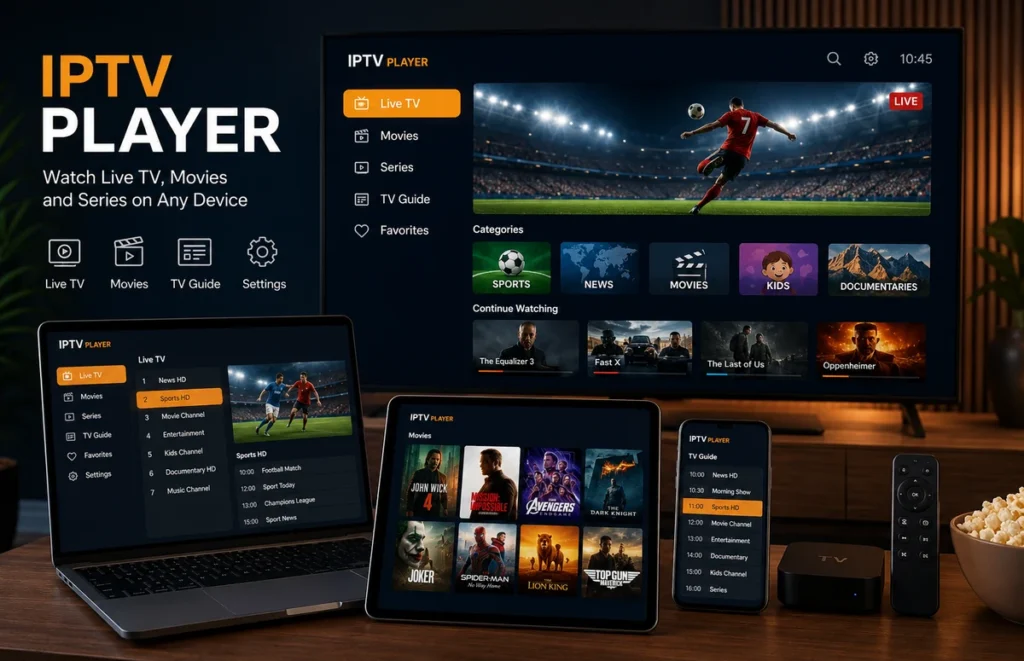
An IPTV player is an application that lets you organise and play compatible internet television streams on a Smart TV, streaming device, smartphone, tablet or computer. In most cases, the player itself does not provide television channels. You add authorised account details or a playlist supplied separately.
Choosing the right IPTV player can make navigation easier, improve programme-guide organisation and provide better compatibility with your preferred device. This guide explains how IPTV players work, which features to compare and how to solve common setup problems.
What Is an IPTV Player?
An IPTV player is software designed to display compatible live television and on-demand streams through an internet connection. Depending on the app, it may organise content into Live TV, Movies, Series, Sports, Favourites and TV Guide sections.
The important distinction is that the player and the content provider are normally separate. Installing an application does not automatically include channels or premium content.
How Does an IPTV Player Work?
After installing the application, you normally add account information supplied by your provider. The supported login method varies between apps.
Common formats can include:
- M3U playlist URLs
- Compatible username and password logins
- Portal-based access
- EPG information for programme schedules
Once the information is accepted, the IPTV player loads the categories available through that account.
For a broader explanation of streaming technology, read our IPTV stream guide.
IPTV Player Features to Compare
| Feature | Why it matters | What to check |
|---|---|---|
| Device compatibility | The app needs to support your television or streaming device | Check your exact operating system before installation |
| EPG support | Displays programme schedules | Clear programme names and correct time information |
| Favourites | Makes frequently watched content easier to find | Simple favourite creation and management |
| Search | Useful when an account has many categories | Fast search across live and on-demand sections |
| Subtitles | Important for movies and international content | Subtitle selection and synchronisation controls |
| Updates | Helps maintain compatibility and security | Recent releases from a recognised developer |
Which Devices Support IPTV Players?
A modern IPTV player can be available on several platforms, although the exact app selection differs between devices.
Smart TV
Samsung, LG, Hisense and Android-based televisions can support different IPTV applications. Always search the television’s official app store first.
LG users can follow our IPTV for LG Smart TV guide for device-specific information.
Android TV and Google TV
Android-based devices generally provide a broad selection of media-player applications. Make sure the app supports the login method supplied by your provider.
Android Phones and Tablets
A phone is useful for testing account details before configuring the main television. Read our Android IPTV setup guide.
iPhone and iPad
Apple users can install compatible players from the App Store and then add their authorised account information. Follow our IPTV for iPhone and iPad guide.
Windows PC
Windows computers can also run compatible media players, which can be useful for testing playlists, programme guides and account details.
How to Set Up an IPTV Player
The exact interface changes between applications, but the general process is usually straightforward:
- Open the official app store for your device.
- Search for a compatible IPTV application.
- Install and open the player.
- Select the login method supported by your provider.
- Enter the supplied account information carefully.
- Allow the channel and programme information to load.
- Test several streams before changing additional settings.
Our complete IPTV setup guide includes additional installation information for common devices.
IPTV Player vs IPTV Provider
This is one of the most common areas of confusion. An IPTV player is the application you use to display content. The IPTV provider supplies the account or authorised streaming information.
For example, paying for a premium version of a player does not necessarily include a television subscription.
Before selecting a service, read our guide to comparing IPTV suppliers.
Free vs Paid IPTV Players
Free applications can be suitable for basic viewing, while paid versions may provide additional features such as:
- Advanced EPG controls
- Multiple profiles
- Extra favourite options
- Parental controls
- Additional playback settings
- Multi-screen functionality
A paid IPTV player does not automatically improve the source video quality. Picture quality also depends on the stream, device and internet connection.
Why Is My IPTV Player Buffering?
Buffering does not always mean that the application is faulty. The problem can come from Wi-Fi coverage, household internet activity, the streaming source or device performance.
Try these steps:
- Restart the application.
- Restart your streaming device.
- Update the player to the latest available version.
- Pause large downloads on other devices.
- Move closer to the Wi-Fi router.
- Test Ethernet when possible.
- Try another authorised stream.
- Reduce picture quality temporarily.
Read our Ethernet vs Wi-Fi for IPTV guide for more network troubleshooting information.
Why Does an IPTV Player Keep Crashing?
An IPTV player can repeatedly close when the device has limited memory, very little free storage, corrupted application data or an outdated operating system.
Restart the device first. Then check for system and application updates. Removing unused applications may also help on older Smart TVs and streaming boxes.
How to Protect Your IPTV Login
Do not post usernames, passwords or complete playlist URLs in public comments, forums or screenshots. These details can contain private account information.
Install players from official app stores or verified developer websites whenever possible. Avoid modified applications from unknown download pages that request unnecessary permissions.
Can You Test a Player Before Subscribing?
Yes. Testing your preferred IPTV player before selecting a long subscription is useful because it confirms whether the application works properly on your device.
During the test, check:
- Login speed
- Live playback
- Movies and series navigation
- Programme-guide loading
- Audio synchronisation
- Subtitles
- Application stability
Use our IPTV free trial in South Africa guide for a complete testing checklist.
Is an IPTV Player Legal?
IPTV player software can have legitimate uses. The legality of the viewing activity depends on where the content comes from and whether the necessary distribution and viewing rights exist.
The application itself should therefore not be confused with the content provider.
Read our detailed guide answering is IPTV legal in South Africa?
Frequently Asked Questions
What is an IPTV player used for?
It is used to organise and play compatible internet television streams supplied through an authorised account or playlist.
Does an IPTV player come with channels?
Usually not. Most players are software only. Content or account access is supplied separately.
What is the best IPTV player for Smart TV?
The best choice depends on your TV operating system, login format and required features. Check the official app store for your exact television model.
Can one IPTV player work on different devices?
Some applications have versions for several platforms, while others are limited to specific operating systems. Application licensing may also differ between devices.
Why does my IPTV player say login failed?
Check the username, password and server information carefully. Expired account access, typing errors or service availability can also cause login failures.
Should I pay for an IPTV player?
Only when the premium features provide value for your setup. Test a free version first when one is available.
Final Thoughts
The right IPTV player should work reliably on your device, support the correct login method and provide the navigation features you actually need. Choose applications from trusted sources, keep them updated and protect your account information.
After testing your player and device, you can compare IPTV plans in South Africa before choosing a longer subscription.