
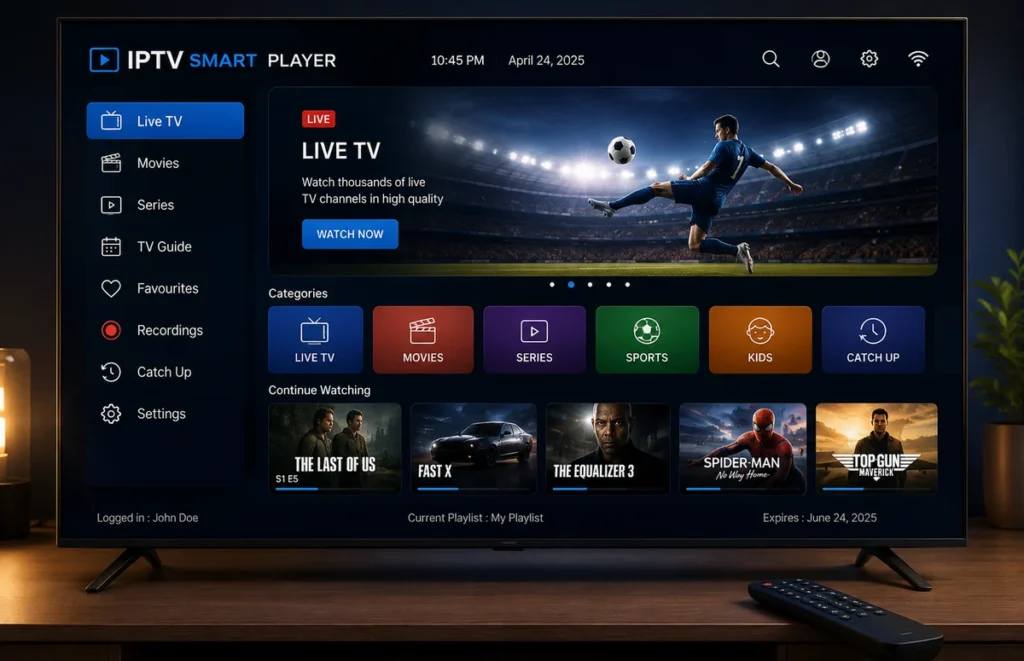
An IPTV smart player is an application designed to organise and play compatible internet television streams on Smart TVs and other connected devices. It can make it easier to browse live categories, on-demand content, programme guides and favourites from one interface.
The player itself normally does not provide television channels. Instead, users add authorised account details, playlists or another compatible login method supplied separately by their service provider.
This guide explains how an IPTV smart player works, which features matter, how to set one up on a television and what to check when playback does not work correctly.
What Is an IPTV Smart Player?
An IPTV smart player is media software created for internet-based television playback. Depending on the application, it may organise content into sections such as Live TV, Movies, Series, Favourites and TV Guide.
The main advantage is convenience. Instead of working directly with a long playlist, the player can present available streams in a television-friendly interface that works with a remote control.
It is important to separate the player from the content provider. Installing a player does not automatically include premium television, sports or movies.
How Does an IPTV Smart Player Work?
After installing the application, you normally need to add account information supplied by your provider. The exact login method depends on the player.
Common methods can include:
- M3U playlist URLs
- Compatible username and password credentials
- Portal-based login details
- EPG information for programme schedules
Once the details are accepted, the IPTV smart player downloads the available categories and displays them through its interface.
For a broader introduction, read our IPTV player guide.
IPTV Smart Player Features to Compare
| Feature | Why it matters | What to check |
|---|---|---|
| Smart TV support | The app needs to run on your television | Check your exact TV brand, model and operating system |
| Login compatibility | Not every player supports every account format | Confirm the login method before installing |
| EPG | Makes live categories easier to browse | Programme titles, times and schedule accuracy |
| Favourites | Reduces time spent searching | Easy creation and management of favourites |
| Search | Useful with large content libraries | Fast search across available categories |
| Subtitles | Useful for movies and international programmes | Subtitle selection and synchronisation controls |
| Updates | Important for security and compatibility | Regular updates from a recognised developer |
Which Smart TVs Can Use IPTV Players?
An IPTV smart player may be available on Samsung, LG, Android TV, Google TV and other television platforms, but application availability varies between operating systems and models.
Samsung Smart TV
Open the television’s application store and search for a compatible media player. An app available for Android does not necessarily have a Samsung version.
LG Smart TV
LG televisions generally use webOS. Player availability can vary depending on the television generation and region.
Read our IPTV for LG Smart TV guide for additional setup information.
Android TV and Google TV
Android-based televisions and streaming devices generally offer a broad selection of media applications. Use trusted app stores and avoid modified apps from unknown websites.
How to Install an IPTV Smart Player
- Connect your Smart TV to the internet.
- Open the official application store.
- Search for a compatible IPTV player.
- Install and open the application.
- Select the login method supported by your provider.
- Enter the supplied information carefully.
- Wait for categories and programme information to load.
- Test several authorised streams.
For more device instructions, follow our IPTV setup guide.
How to Add Your Login Details
When your IPTV smart player opens for the first time, it may request a playlist URL, username, password, server address or another supported format.
Enter the information exactly as supplied. A missing character can prevent the account from loading.
Do not publish usernames, passwords or complete playlist URLs in screenshots, forums or public comments.
IPTV Smart Player vs IPTV Subscription
A player and a subscription are different products.
The IPTV smart player provides the interface used to organise and display streams. The subscription or provider supplies the compatible account information.
Paying for a premium player therefore does not necessarily include television access.
Read our guide to comparing IPTV suppliers before choosing a service.
Free vs Premium IPTV Smart Players
Free players may provide enough functionality for basic playback. Premium versions can add features such as advanced favourites, multiple profiles, parental controls, extra EPG settings or interface customisation.
A paid IPTV smart player does not automatically improve the quality of the original stream. Picture quality also depends on the source, television and internet connection.
Why Is the IPTV Smart Player Buffering?
Buffering is not always caused by the application. Weak Wi-Fi, network congestion, device performance or problems with the stream source can also interrupt playback.
- Close and reopen the player.
- Restart the Smart TV.
- Restart the router.
- Install available updates.
- Pause large downloads.
- Move the router closer to the TV.
- Use Ethernet when practical.
- Test another authorised stream.
- Reduce video quality temporarily.
Read our Ethernet vs Wi-Fi for IPTV guide.
Why Does the Player Keep Crashing?
An IPTV smart player may close unexpectedly because of limited memory, outdated software, corrupted application data or insufficient storage.
Restart the television, install available updates and remove unused applications when storage is limited.
How to Improve Smart TV Streaming Quality
For a fixed television, Ethernet can provide more consistent performance because it avoids wireless interference.
If Ethernet is not practical, keep the router in an open location and avoid placing it behind the television or inside a closed cabinet.
Use our Wi-Fi router placement guide for more tips.
Test Before Choosing a Long Subscription
Test your preferred IPTV smart player on the exact television and network you plan to use regularly.
- Application startup speed
- Login reliability
- Category navigation
- Live playback
- EPG loading
- Audio synchronisation
- Subtitle controls
- Remote-control navigation
- Application stability
Read our IPTV free trial in South Africa guide before selecting a longer plan.
Is an IPTV Smart Player Legal?
A media player is software and can be used for legitimate streaming purposes. The legal question depends on the content source and whether the necessary rights and permissions exist.
Installing an IPTV smart player does not automatically make every stream loaded through it authorised.
Read our guide answering is IPTV legal in South Africa?
Frequently Asked Questions
Does an IPTV smart player include channels?
Usually no. The application normally provides the interface only. Account or playlist information is supplied separately.
Can I install an IPTV smart player on Samsung TV?
Yes when a compatible application is available for your Samsung television model and region.
Can I use an IPTV smart player on LG TV?
Compatible players may be available through the LG Content Store depending on the TV model and webOS version.
Why does my IPTV smart player say login failed?
Check the username, password, playlist or server details carefully. Typing errors or expired account information can cause login failures.
Can I use the same account on several Smart TVs?
Installing an account on several devices and streaming simultaneously are different. Confirm the simultaneous connection limit included with your subscription.
What connection is best for Smart TV streaming?
Ethernet is usually the most consistent option when practical. Strong Wi-Fi can also work well when the router is nearby and network traffic is controlled.
Final Thoughts
A good IPTV smart player should provide a simple television-friendly interface, support the correct account format and work reliably on your device.
Test the player and network first. Once everything works correctly, you can compare IPTV subscription plans in South Africa.