
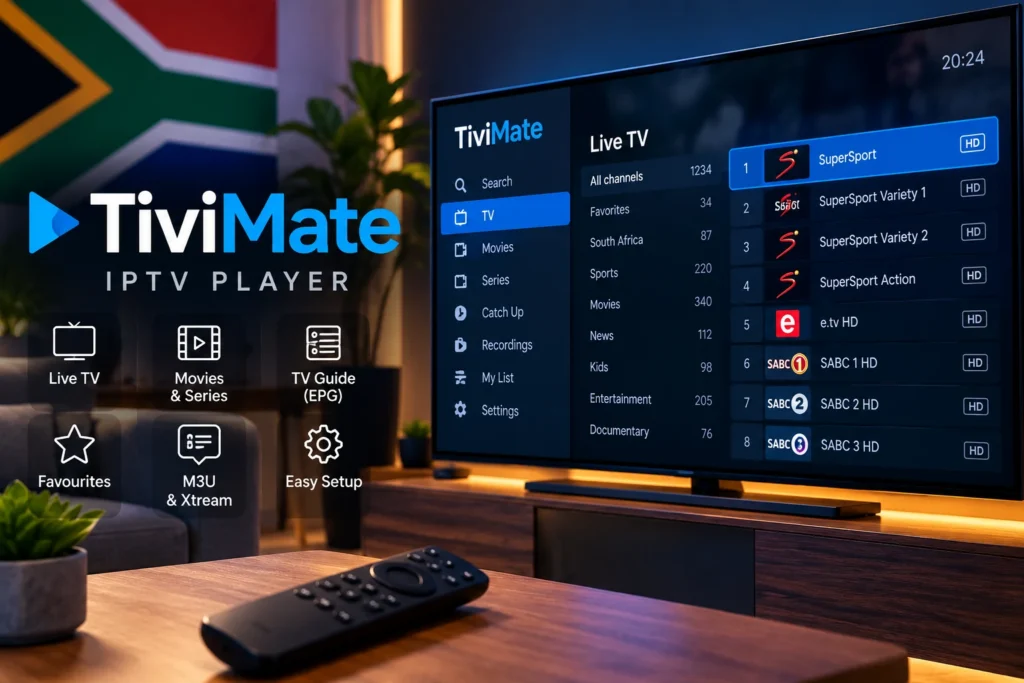
TiviMate IPTV Player South Africa: Setup, M3U & Xtream Guide
TiviMate IPTV Player is a popular media player designed mainly for Android TV and television-focused Android devices. It provides a clean interface for organising authorised IPTV playlists, browsing programme guides and managing channels from one place.
If you are new to internet television, start with our guide to IPTV in South Africa to understand how IPTV works before configuring your player.
If you are using an Android TV, Google TV device or compatible streaming box in South Africa, this guide explains how TiviMate works, how to add M3U or Xtream details and what to check when playback is unstable.
It is important to understand that TiviMate is a media player only. The application does not automatically provide television channels, movies or subscriptions. You must add your own authorised playlist or compatible account details.
What Is TiviMate IPTV Player?
TiviMate IPTV Player is an application that allows users to organise and play compatible IPTV playlists on supported Android-based television devices.
The app can work with common playlist and login formats such as M3U playlists and Xtream-style credentials. Users can also organise favourites, browse an electronic programme guide and manage their viewing interface.
If you want to compare TiviMate with other applications, see our IPTV player guide.
Does TiviMate Include IPTV Channels?
No. Installing TiviMate does not automatically give you access to television channels, movies or series.
TiviMate is the player. Your authorised streaming source provides the playlist or login information that the player uses.
This distinction is important because many users install an IPTV player and expect channels to appear immediately.
Devices That Can Use TiviMate
TiviMate is primarily designed for television-based Android devices rather than touch-first mobile devices.
- Android TV televisions
- Google TV devices
- Compatible Android TV boxes
- Compatible Fire TV devices
- Other supported Android-based television devices
If you are using an Android phone or tablet instead, our IPTV for Android phone and tablet guide covers mobile-focused setup options.
How to Install TiviMate IPTV Player
On a compatible Android TV or Google TV device, open the app store and search for TiviMate IPTV Player.
Install the application and open it. You will normally need to add a playlist or compatible account before content can be displayed.
Always use trusted installation sources and keep the app updated.
How to Add an M3U Playlist to TiviMate
If your authorised provider gives you an M3U playlist URL, you can use it to configure TiviMate.
Open TiviMate, choose the option to add a playlist and select the M3U option. Enter the playlist URL carefully.
Small typing errors can stop a playlist from loading, so copying and pasting the address is usually safer than entering it manually.
For a complete explanation of how playlists work, read our IPTV M3U playlist guide.
How to Add Xtream Login Details
Some authorised services provide separate credentials instead of a single playlist URL.
These normally include:
- Server URL
- Username
- Password
In TiviMate, select the compatible Xtream login option and enter the information exactly as supplied.
Make sure there are no unnecessary spaces before or after the username, password or server address.
Configure the EPG
An electronic programme guide, or EPG, helps display programme names and schedules inside the player.
When the playlist source includes compatible guide information, TiviMate can use it to make browsing easier.
If the channel list loads but the programme guide remains empty, refresh the EPG and confirm that the guide information associated with your playlist is correct.
Use Favourites to Organise Channels
Large playlists can contain many categories and channels. Adding the channels you use most often to favourites can make navigation faster.
This is particularly useful on television devices where browsing with a remote can take longer than using a phone or computer.
TiviMate Installed and Working?
Ready to Test Your Streaming Setup?
Once TiviMate, your television and internet connection are ready,
compare our IPTV plans →
and choose the option that best fits your setup.
Why TiviMate Keeps Buffering
Buffering is not always caused by the player itself. Internet stability, Wi-Fi signal strength, device performance and network congestion can all affect playback.
If streaming keeps stopping, start by testing your connection near the television.
A wired connection can often provide better stability than weak wireless coverage. Read our Ethernet vs Wi-Fi for IPTV comparison to decide which connection is better for your setup.
Check Your Internet Speed
High-quality video requires a stable connection. A speed test can help determine whether the television or Android TV device is receiving enough bandwidth.
The speed reaching your television can be lower than the maximum speed advertised by your internet provider, especially when using Wi-Fi.
For more detail, see our internet speed for 4K streaming guide.
Improve Wi-Fi Around Your Television
If Ethernet is not practical, check the position of your router.
Walls, furniture, distance and nearby electronics can weaken the wireless signal and cause interruptions.
Our Wi-Fi router placement guide explains where to position your router for better streaming performance.
TiviMate Playlist Not Loading
If the playlist does not load, first check the information you entered.
Confirm that the playlist URL or login details are correct and active. Restart the application after making changes.
You can also restart the Android TV device and router before making more complicated changes.
TiviMate EPG Not Updating
If channels work but programme information is missing, refresh the guide from the application settings.
Also confirm that your playlist source includes compatible EPG information.
If only certain channels are affected, the issue may be related to the guide data associated with those streams rather than TiviMate itself.
TiviMate App Keeps Closing
Application crashes can happen when the device is low on storage, the app is outdated or the operating system has temporary problems.
Restart the device, update TiviMate and make sure enough storage space is available.
If other IPTV apps are also crashing, follow the troubleshooting steps in our IPTV app crashing guide.
M3U vs Xtream Login in TiviMate
Both methods can connect compatible authorised streaming sources, but they organise the setup differently.
An M3U configuration normally uses a playlist URL, while an Xtream-style login normally uses a server address, username and password.
Use the format supplied by your provider instead of converting credentials unnecessarily.
Can You Use Multiple Playlists?
TiviMate can support management of multiple playlists depending on the features available in the application.
This can be useful when users have separate authorised sources and want to organise them inside one television interface.
Is TiviMate Free?
TiviMate provides player functionality with additional features available through its paid options.
Paying for TiviMate unlocks features of the player itself. It does not automatically provide television channels or a streaming subscription.
Is TiviMate Legal in South Africa?
A media player itself is simply software used to play media. The important legal consideration is the source of the content being added to it.
Users should only access streams and playlists for which they have the necessary rights or permissions.
Read our detailed guide to IPTV legality in South Africa for more information.
TiviMate vs Other IPTV Players
The best IPTV player depends on your device and preferences.
TiviMate is particularly focused on television interfaces, while other applications may provide better compatibility with phones, tablets, Samsung TVs, LG TVs or Apple devices.
If you are still deciding which app to use, see our complete IPTV player guide.
Frequently Asked Questions
Does TiviMate provide channels?
No. TiviMate is a media player and requires users to add their own authorised playlist or compatible login information.
Can I use TiviMate on Android TV?
Yes. TiviMate is designed primarily for Android TV-style devices and remote-control navigation.
Can I add an M3U playlist?
Yes. Compatible M3U playlists can be added through the playlist setup options.
Can I use Xtream login details?
Yes. Compatible server URL, username and password configurations can be added where supported.
Why is TiviMate buffering?
Check your internet connection, Wi-Fi signal, router placement, network congestion and device performance before assuming the player itself is responsible.
Does TiviMate Premium include IPTV channels?
No. Premium features relate to the player application and do not automatically include television channels or media subscriptions.
Final Thoughts
TiviMate IPTV Player can provide a clean television-friendly interface for users who already have an authorised playlist or compatible login details.
For the best experience, keep your Android TV device updated, use a stable internet connection and enter your playlist information carefully.
Ready to Use TiviMate on Your TV?
If your TiviMate player, device and internet connection are ready,
view our IPTV plans →
and choose the option that best fits your streaming setup.